AI in My Design Workflow

My AI process in practice
Breakdowns of each stage in the workflow.
From quick research and insight generation to ideation, prototyping, and visual creation.
The toolkit that makes it faster, smarter, and more collaborative.
Research
User & market research
Perplexity
Gemini
ChatGPT
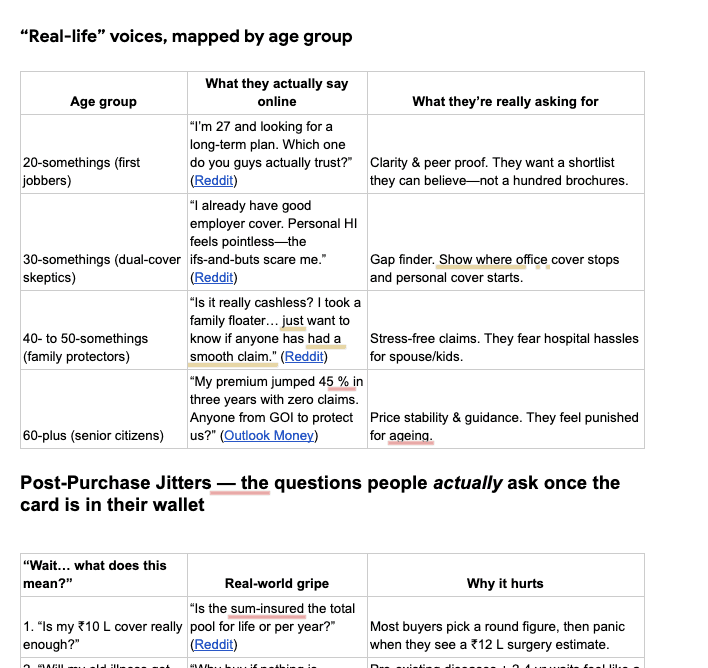
Explore user behavior and market context through AI-assisted insight mining. Combined summaries from Perplexity and ChatGPT into Gemini to surface real user voices from Reddit, X, and LinkedIn—turning scattered information into clear design opportunities.
Prompt + output

Utilising in design document
Benchmarking
Perplexity
Gemini
ChatGPT
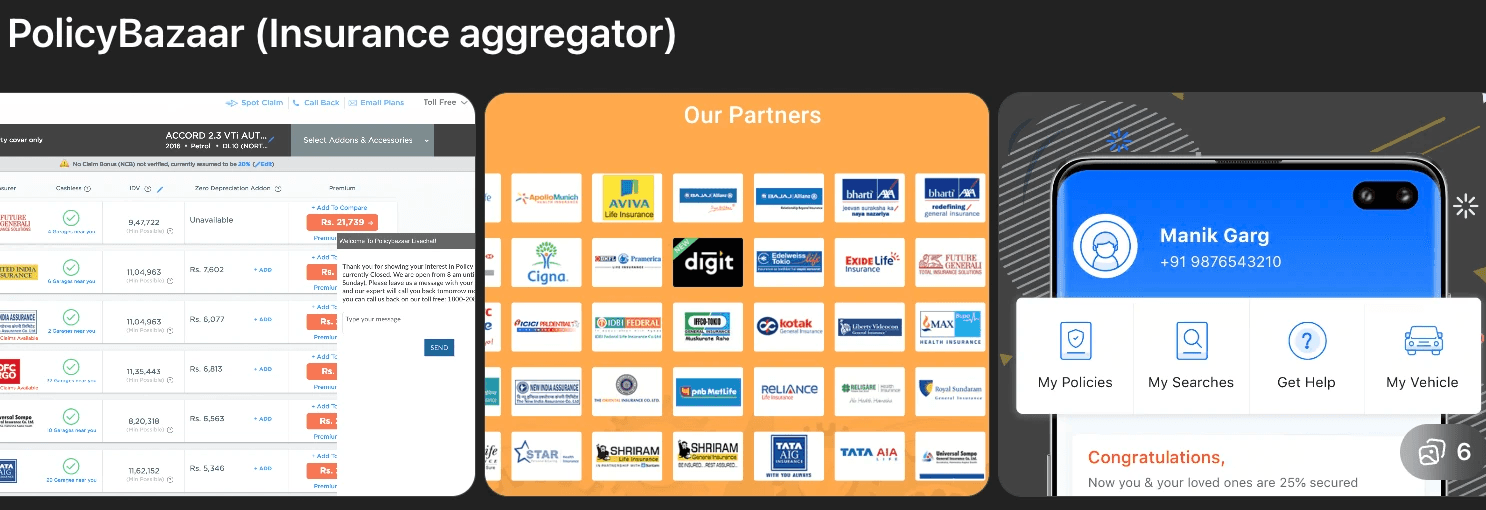
Benchmark AI assistants to identify tone, flow, and micro-interactions adaptable for our insurance GPT.
Prompt used

Output generated


Utilising in design

User persona creation
Perplexity
Gemini
ChatGPT
Use AI to translate user and policy data into contextual personas that reflect real goals, risks, and behaviors—helping tailor flows and recommendations across different family members and assets.
Prompt

Output generated

Utilising in design

Ideation and testing
Ideation
Figma Make
ChatGPT
Lovable
Firebase studio
Bolt
Explored Bolt, Lovable, Firebase Studio, and Figma Make—settled on Figma Make for seamless, in-file collaboration with designers, PMs, and devs, rapid edge-case iteration, and live API validation—helping us close UX for 4 features in a week and cut early-stage iteration by ~70%.
Prompt used

Output generation
Collaboration: Design + Product
Me, my junior designer and PM Collaborate to iterate ideas in the same Figma Make file.

Junior designer contributing a prompt in the
same Figma Make file
Collaboration: Design + Tech
If it is a heavy data dependency project, design and dev get on the same. And iterate together with actual data points.

Backend dev running API calls live during the
design call, reducing back-and-forth loops.
I love sharing what I learn—I’ve hosted Figma Make workshops with our Product and Design teams to help them build faster with AI.
The sessions were highly appreciated by our Design Manager, VP Product, and COO.
Testing
Figma Make
ChatGPT
Lovable
Firebase studio
Bolt
After ideation, I run quick testing loops within the same Figma Make ecosystem — simulating user interactions, validating copy, and testing edge cases in real time with the product team. This AI-assisted setup allows us to spot usability issues early and iterate fast without leaving the design environment.
Insurance ChatGPT, answering both generic and policy-specific insurance queries, explored entry points and conversational flows.
Claim-tracking experience for end users to monitor progress, upload documents, and take guided actions through the claim lifecycle.
Interface for viewing state-wise vehicle violations, helping users check penalties and understand traffic rule updates
Built a small interactive game inside Figma Make to test how far design logic can stretch with AI-generated components and variables.
Visual creation
Graphic creation
ChatGPT
Nano Banana
Sora
Veo
Created an AI graphics library with ready templates, making graphic creation faster and consistent and cutting dependency on stock marketplaces (e.g., Shutterstock).
Prompt

Output generated

Utilising in design

Image and video creation
ChatGPT
Nano Banana
Sora
Veo
Ideogram
Generated contextual visuals and short videos to enhance storytelling and humanise content—
cutting dependency on photoshoots and stock libraries.
Prompt

Output generated

Video generation on Veo 3

Thanks for reading!
I’m currently exploring AI chat flows for our Insurance ChatGPT — more updates coming soon.